
Mediversal Hospitals, Patna
Mediversal runs QR patient experience, centralised lead management and its Maatri maternity journey on SurgyCRM across three hospitals (November 2026).
- 600+
- calls a day
- 200+
- journey milestones a week
- 3
- hospitals
An unhappy patient rarely files a complaint. They leave a review, or don't come back. A QR code at the bedside gives them a faster way to be heard inside the hospital.
A QR code at each bed, ward and desk turns a request, complaint or feedback into a ticket with an owner and a deadline. SurgyCRM escalates it on WhatsApp as the deadline nears and passes, and a complaint cannot close without its root cause and corrective action.

Feedback forms at the nursing station get filled in on the way out, if at all. A QR code at the bedside catches the problem while the patient is still in the bed.
At the bedside, in the ward or at a desk. A bilingual English and Hindi page opens, with no app to install.
A request (housekeeping, nursing, food), a complaint, or feedback.
The patient sees the status of what they raised.
If nobody has responded, the patient escalates it. The owner and department admins are alerted, and the patient is told the escalation was received.
QR pages are in English and Hindi for now. WhatsApp messages to patients use templates your hospital approves, which can be in Arabic. The QR page also links to your hospital's public privacy rights page.
Every submission becomes a ticket. Nobody re-types a paper form or forwards a screenshot.
Every request is routed to the right department and person, so a housekeeping request never waits in a nursing queue.
Each ticket carries a severity and a resolution deadline from your SLA rules, set by department, category and priority.
Every ticket has an owner, and every escalation sent is on its timeline.
A sweep every five minutes checks each open ticket against its deadline and sends WhatsApp alerts at three levels as the deadline nears and passes. Each message says why the person received it.
| Level | When | Who is told on WhatsApp |
|---|---|---|
| Level 1 | Part-way to the deadline | The ticket owner (or the department head if the ticket is unassigned) |
| Level 2 | Closer to the deadline | Department admins and the owner, with the time it escalates to seniors |
| Level 3 | After the deadline plus a grace period | The department's escalation contacts, admins and the owner; repeats if you turn on reminders |
Your SLA rules set the deadline for each department, category and priority, and you name each department's escalation contacts. Feedback departments, categories and SLA rules come as built-in presets, switched off and ready to review.
A day in practice: a "food served cold" ticket reaches level 1. The owner gets a WhatsApp alert and resolves it with a root cause. The weekly NPS trend shows detractors falling.
Closing a complaint with "resolved" teaches the hospital nothing. In SurgyCRM, a complaint cannot be closed until its root cause and corrective action are recorded.
This is the kind of evidence NABH assessors ask for. The NABH 6th Edition covers patient rights and education, including feedback, in its Patient Rights and Education (PRE) chapter, and asks hospitals to measure patient-reported experience (PREMs, PRE.7.b). Assessors look for follow-up and grievance closure that runs every day, not a policy file. A ticket log with deadlines, escalations, root cause and corrective action, feeding your quality improvement work under PSQ, shows exactly that.
SurgyCRM records the process; your quality team decides the cause and the action. Check the wording of each objective element against the official NABH 6th Edition standard.
When the final milestone of a care journey is done, the journey completes and, if you have switched it on, the patient gets a short WhatsApp survey on a 0–10 scale.
The NPS trend shows by day, week or month, split by source, with the promoter, passive and detractor mix. How the score is calculated: Net Promoter Score in hospitals. How journeys reach their last milestone: care journeys and the patient journey in SurgyCRM.
How many requests and complaints each department is carrying.
Whether tickets are resolved inside the deadlines you promised.
What patients said and scored, with the trend over time.
A dashboard number either equals the list it opens or opens exactly the rows it counted. Detail tables carry real timestamps, so it is hard to make work look done when it wasn't. Reports download as CSV or Excel, or print as a board document with your masthead. See dashboards and reports.
Mediversal runs QR patient experience, centralised lead management and its Maatri maternity journey on SurgyCRM across three hospitals (November 2026).
A QR code at the bedside, ward or desk opens an English and Hindi page; no app or login is needed. The patient makes a request, raises a complaint or gives feedback, tracks it, and can press Escalate. Each submission becomes a ticket with an owner, severity and deadline. WhatsApp alerts go to the owner, then department admins, then your escalation contacts as the deadline nears and passes. A complaint cannot close without its root cause and corrective action.
No. The QR code opens a bilingual English and Hindi web page, with no app to install.
A sweep every five minutes checks open tickets against their deadline. Level 1 alerts the ticket owner part-way to the deadline; level 2 alerts department admins and the owner closer to it; level 3 alerts the department's escalation contacts, admins and the owner after the deadline plus a grace period. The ticket timeline shows each level sent.
It produces the evidence assessors look for. NABH's 6th Edition covers patient rights and feedback in the Patient Rights and Education (PRE) chapter. SurgyCRM records every complaint with an owner, deadline, escalations, root cause and corrective action, and reports SLA compliance. Your quality team still decides the cause and the action.
A score of 0–6 automatically raises a ticket for the patient-experience team. Patients who score 9–10 are invited to leave a Google review for their branch.
Not yet. QR pages and the website assistant are in English and Hindi for now. WhatsApp messages can go out in Arabic using templates your hospital approves.
QR feedback, complaint tickets, SLA escalation and NPS are part of SurgyCRM's per-user price: INR 20,000 per user per year in India (20+ users) and USD 500–600 per user per year in the GCC, plus one-time setup.
Talk to our team
Book a focused walkthrough tailored to your teams, priorities, and current systems.

Our Customers



We’ll reply within one business day.
Keep reading
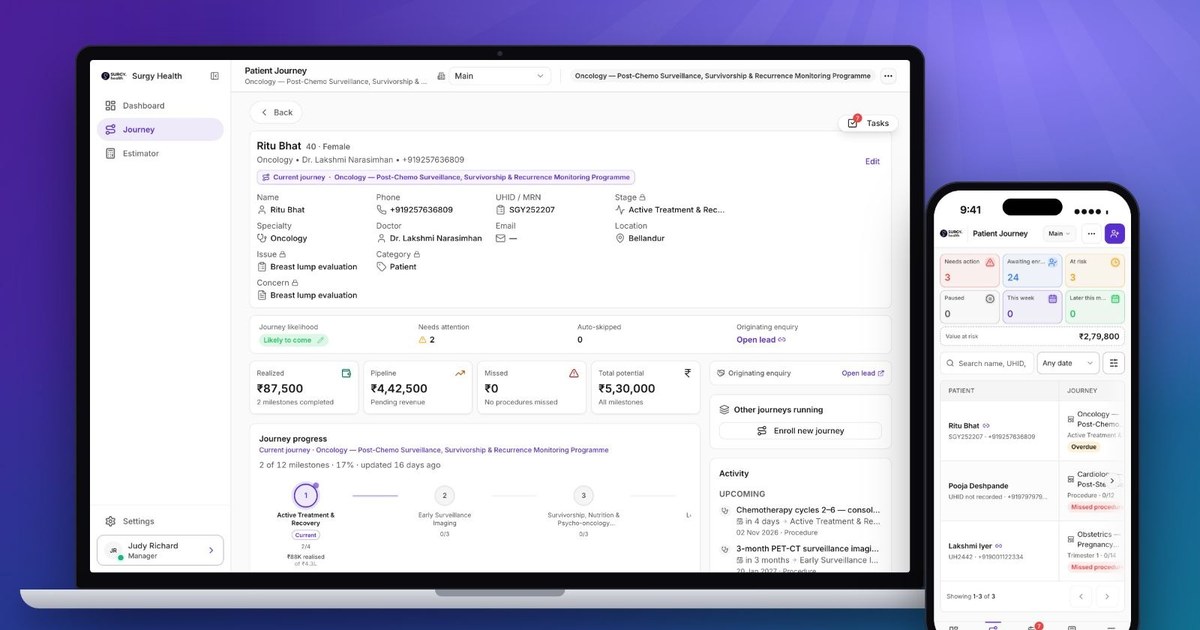 Hospital call-centre CRMEvery hospital call dialled, logged and recorded on the patient's record. Works with your cloud telephony; Ozonetel and SparkTG are live today.Read SurgyCRM: hospital CRM softwareHospital CRM for India and the GCC: one inbox for every enquiry, calls logged with recordings, treatment journeys with their value, QR feedback and NPS.Read
 Net Promoter Score in hospitalsNPS is the percentage of promoters (9–10) minus detractors (0–6). How hospitals ask the question, calculate the score and act on detractors fast.Read
 What is a hospital CRM?A hospital CRM manages the relationship around a patient's care, from enquiry to feedback: how it differs from an HIS and a generic CRM, and what it moves.Read